The wrong asset was recorded in my transaction
Here you will find a checklist of reasons and recommended actions
November 12, 2026
It is possible that the asset you expected was not recorded for your transaction. This can have several reasons, which do not necessarily have to correspond to an error.
Here you will find a checklist of causes:
There is a symbol of the same name for the asset. chain.report will then prioritize the asset with the higher CoinMarketCap priority.
Example:
You traded the asset "Solcoin", which uses the symbol SOL. chain.report will prioritize Solana here, however.
Due to the data available, it may be that only the text "SOL" is provided by the exchange, which means that a prioritization must take place here.
The token is not known
chain.report maintains its token list according to the list from CoinMarketCap / CoinGecko. If you have chosen a token outside this list (e.g. a meme coin), a custom asset is created and a notice about missing price information is displayed in the transaction. You then have to enter the price in the notice section of the transaction.
You can learn more about the determination of price data in chain.report in this article.
The exchange uses an unsuitable name or staking token
It is possible that an exchange uses an unusual name for the token in the data provided.
Example:
The exchange supplies XXBT instead of BTC (Bitcoin). An unknown token XXBT is then read in the transaction.
Staking example:
Staking tokens are listed on many exchanges under other names. For example, DOT as a staking token is listed as DOT2 or DOT.S.
For many exceptions, chain.report recognizes these special names and already resolves them into the correct asset for you.
A custom asset was prioritized
If you have manually created your own custom asset, or it was created for you because this token was missing, it will be prioritized for you ahead of a token of the same name. And that might not match your expectation. If you want to remove a specific custom asset from your account, please delete all wallets that contain this token. Provided that this token is no longer used, custom assets in chain.report are deleted every 12 hours.
Your asset is affected by a TokenSwap and is no longer available at the time of the transaction.
Example:
An exchange or your entry contains the token MATIC in September 2025. However, all occurrences of MATIC were replaced in a token merge. chain.report carries out this replacement for you.
You can find more on the topic of token merges in this article.
A smart contract was used in your transaction.
Smart contracts must be supported individually by chain.report. There is default detection. If the smart contract you applied falls outside this, however, there is a possibility that a transaction was not read or was read as broken. This can also affect the asset that was read.
You can learn more about reading smart contracts in this article.
Recommended action:
In the case of missing price data, you can enter the price in the expanded transaction. To determine the prices, you can look them up with your provider, at coingecko.com, or at coinmarketcap.com / CoinGecko.
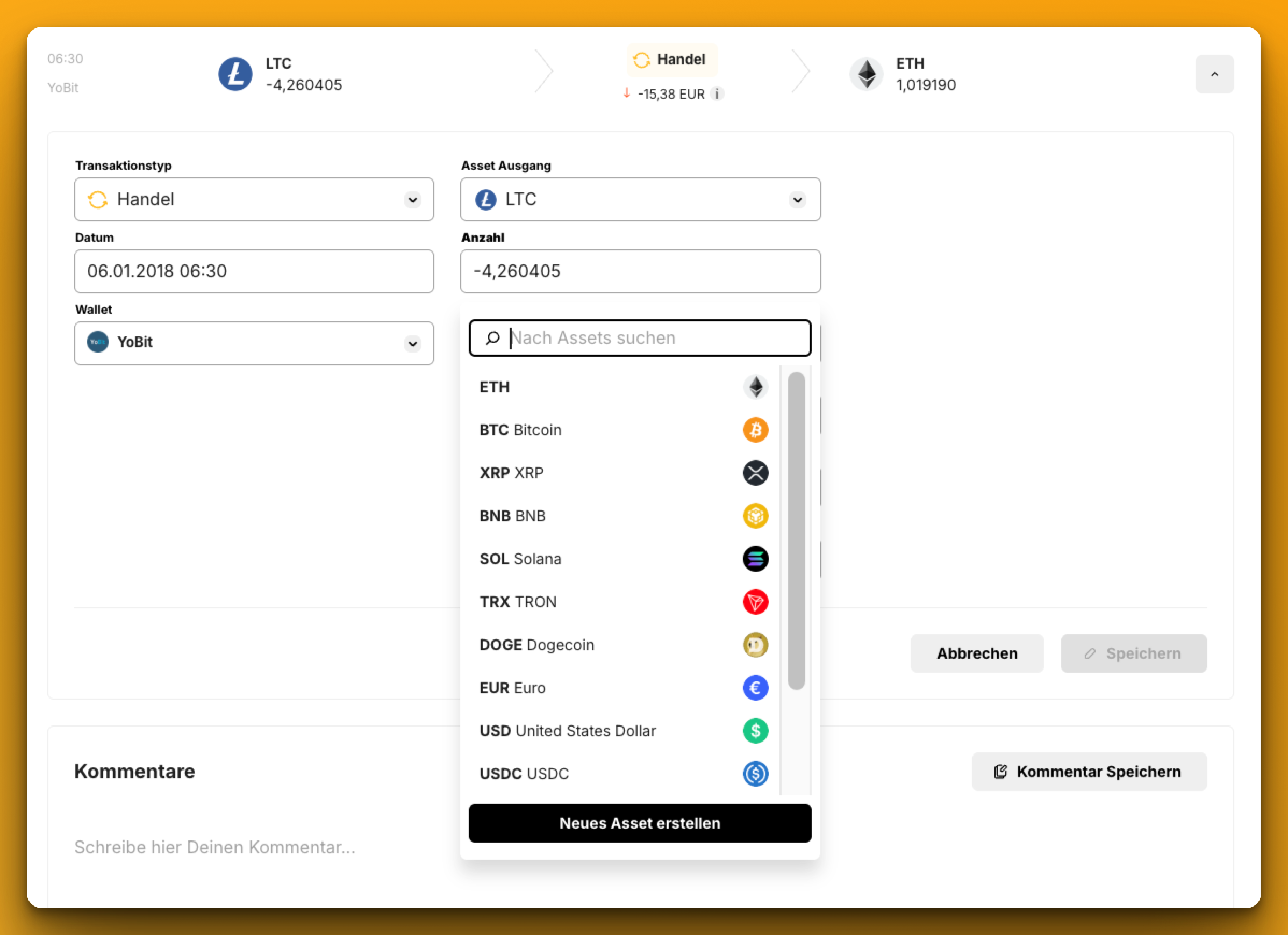
If the expected token was not recognized, you will see reasons in the checklist above that do not result from an error in chain.report. You then have the option to simply edit the asset in the expanded transaction:
You have checked these points and you still see an error in chain.report?
Then we need a precise error description in which the error can be identified on specific transactions or other points. Information would include, for example:
1) Which transaction(s) are involved? (date, time, transaction type, token, amount, ...). Please give a single example if possible.
2) Where do you see an error?
3) Can a screenshot illustrate this?
4) Is there a suitable CSV file? Then please upload this as well.
If you were able to identify the error this clearly, please send us the data via the support chat on the website.
If you cannot clearly identify the error or its cause:
Example: The tax burden is too high, but you do not know exactly why?
Example: You cannot resolve warnings?
Example: There are balance discrepancies in the wallets.
Please understand here that we cannot take on a portfolio analysis for Non-Professional-User here in order to look for potential errors. This option exists for the Professional package. A good starting point would be our FAQ - there you will find answers to these three points and to most other questions.