Why does my wallet show negative or incorrect balances?
Please check this checklist before you contact support.
November 12, 2026
If a wallet shows an incorrect or even a negative balance, that is a sign that the data is incomplete. You should then check the following:
For most exchanges, a balance is queried from the provider. This balance is written to the wallet as the total balance, even if adding up the transactions would produce a different result.
You can see the result of this adding up of transactions in the wallet under "Assets".
Example:
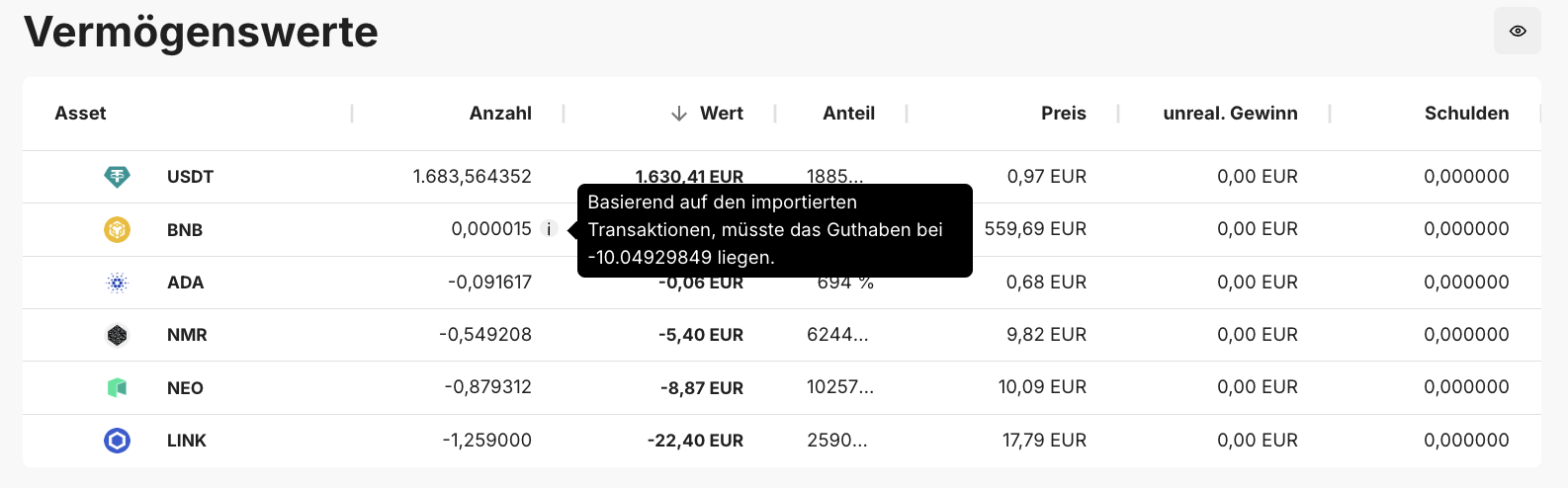
If the calculated balance differs from the balance supplied by the exchange, an "i" is displayed next to the asset balance. You can then see the actually calculated value here.
In the following points you will learn why calculated balances are often not correct and complete, in particular because exchanges do not supply data for all products and in all time periods. This is exactly why balance discrepancies are generally not a chain.report error.
Various exchanges do not supply all data, which can lead to a balance difference. Here is a list of the missing data known to us:
* KuCoin does not supply any information about fees on withdrawals.
* Bittrex does not supply staking inflows.
* For many features at Binance there is no interface, and there are time limits on the interfaces.
* At bybit, interfaces are limited in part to 2 years and in part to 180 days.Note that a wallet can also have subwallets, e.g. for staking. If balances are missing in the main wallet here, take a look at the subwallet and add up the values in order to obtain the total balance of the respective token in the wallet.
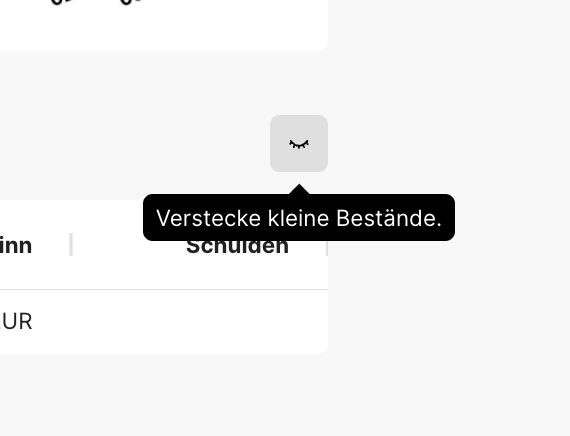
Minor balances are hidden by default. In the top right of the balance display you have to click the eye so that all balances are shown:
Are you missing fiat values (EUR, USD, etc.) in the balances, assets, or in the charts?
These are excluded from the display in chain.report. They are also not taken into account in the wallet balance. For tax purposes, transactions, e.g. the exchange into a fiat currency, are valued correctly.Wait for the transaction calculation: Do you currently see "Wallets are being synchronized"? Only afterwards do the calculations "Transactions are being calculated" begin. Only when this process has also been completed are the calculations finished as well. It is best to wait until this process has also been completed and then reassess the balances.
Have you already carried out a recreation of the wallet? Interfaces often change. Or there are improvements or changes at chain.report. This too can lead to different balances. With the X button in the wallet details you can easily recreate the wallet.
Are transactions missing in your DeFiChain wallet? Node disconnects can be the reason:
Unfortunately, the DeFiChain node software remains unstable up to version 4.0.9. As a result, our nodes occasionally lose the connection. This has the consequence that transactions can be missing and are no longer reloaded. A consequence is correspondingly divergent balances as well.
We hope for a stability update of the DeFiChain node software soon. The only thing that helps you here is a recreation, e.g. with the X button. And that is exactly why you should continue to plan for recreations in the future as well.For DeFiChain desktop wallets, a recreation becomes necessary as soon as new sub-addresses are integrated that we cannot capture without the information from your console input,
Have you used a DeFiChain vault? If yes: vault interest currently cannot be captured technically. That can lead to a negative balance. You can find more information on this here.
Also note that transfers from the DVM to the EVM are only partially tracked and, until support for the full Metachain, can lead to transactions that are not yet needed, which distort the balances.
Have you carried out liquidity mining on the DeFiChain?
Liquidity mining proceeds are booked in chain.report only once at the end of the day - namely aggregated as the collected distribution of the day in one transaction. Because of this later booking, it is possible that within a day there is a difference in the amount of one day's proceeds.Are there warnings in the corresponding wallet?
If yes, that can be an indication of missing sources or transactions, which would directly explain the incorrect balance. Try to resolve these warnings by subsequently adding missing sources, e.g. through other missing wallets.
Have you executed certain transactions on an exchange and do you not find them in chain.report?
Have you, for example, traded certain futures, but these futures are not supported by chain.report?
In both cases you could add the transactions "manually" afterwards via our template.Bitpanda unfortunately does not supply any information about credit card purchases and the fiat values associated with them.
Do the balances not match for crypto.com (App)?
1. Unfortunately, the transaction types of the CSVs are non-transparent, and it is unclear which of them have to be ignored because of "crypto.com internals".
2. We have already caught many exceptions such as duplicate transactions in several CSVs
3. Credit card payments are not documented entirely correctly. In the case of foreign currencies, it is not clear to the system where the foreign fiat currency comes from, and it issues a warning, which creates a negative balance. The correct quick fix is: Directly before every card payment in foreign currencies, create a corresponding fiat deposit of the same amount.Unfortunately, the balances are not always correct even after checking and adding them up. This can be due not only to the points above, but also to incorrect information from crypto.com. Our recommendation would therefore be not to look at the balances here - unfortunately, we depend here on the data that we receive from the provider.
Here you will find this information summarized once more in a video:
Conclusion and recommended action:
There can be a whole range of reasons why balances differ. And they often do not lie with chain.report. We therefore recommend that you check every point on this list here carefully. After that, you could open the individual wallets and check for each wallet where the position of a particular asset differs. If you have, for example, found a different Solana holding in your Bake wallet, you can now check at transaction level how this discrepancy comes about - or whether it is also correct.
Have you checked these points and you still see an error in chain.report?
Then we need a precise error description in which the error can be identified on specific transactions or other points. Information would be, for example:
1) Which transaction(s) does it concern? (Date, time, transaction type, token, quantity, ...). If possible, give a single example.
2) Where do you see an error?
3) Can a screenshot illustrate this?
4) Is there a matching CSV file? Then please upload this as well.
If you have been able to identify errors this clearly, please send us the data via the support chat on the website.
If you cannot clearly identify the error or its cause:
Example: The tax burden is too high, but you do not know exactly why?
Example: You cannot resolve warnings?
Example: There are balance discrepancies in the wallets.
Please understand here that we cannot take on a portfolio analysis for non-professional users here in order to look for potential errors. This option exists for the Professional package. A good starting point here would be our FAQ - there you will find answers to these three points and to most other questions.