The connection to my wallet was disconnected / I cannot establish a connection
... and this is what you need to check now.
November 12, 2026
1) When entering the API key, the wallet cannot be created
This means that no connection could be established. Please then check the key you created:
The permissions of the API key must be set correctly.
The API key must not already have expired.
The entry when creating the wallet must contain the correct values in the correct input fields. Make sure that you have not, for example, mixed up API key, API secret, passphrase, name, etc.
Make sure that you have not selected an IP whitelist. This would prevent chain.report from being allowed to access your exchange.
Make sure that your API is authorized for third-party applications:
1. Example 1: At bitcoin.de, the API can only be accessed if an active bank account is stored.
2. Example 2: At Cointracking, data can only be accessed if you have a paid account at Cointracking.
After you have thoroughly checked these points, please contact support. You can then send your API key to support. Please make sure that this key only has read permissions for your account.
2) Connection loss of an already synchronized wallet
It can happen that your wallet synced via API loses the connection:
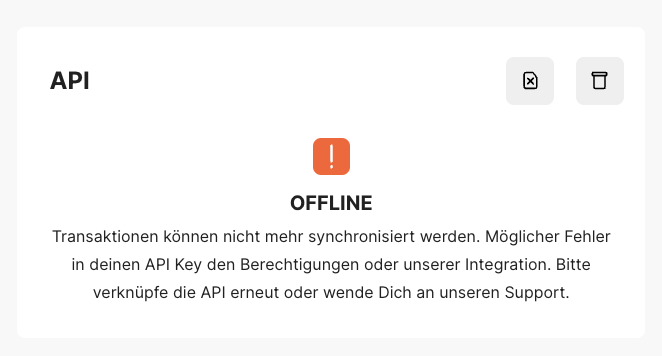
This can have several reasons. Please check each of the following points:
You have not granted sufficient permissions for the API key.
You have not created the API key correctly.
For example, the API of the respective exchange might currently not be reachable.
Your API key might have expired.
Your API key might have hit a rate limit.
You have imported a CoinTracking wallet, but you do not have a paid account at CoinTracking - then an import is not possible.
Or our servers are currently restarting ...
You can try to solve the problem "with caution" as follows:
Check the API key of your exchange to make sure it has not expired and that all required permissions are set.
Generate a new API key to make sure that your old key had not expired.
You re-synchronize the wallet with the re-creation X button (top right). This deletes all transactions and synchronizes them again via the API, provided the connection is possible again. You should keep in mind, however: this also loses all manual changes that you may have made to the transactions.
Synchronize one wallet after the other if possible. If you sync, for example, several KuCoin wallets or wallets of one exchange, a rate limit per user can apply and cause all connections to be limited and thus to fail.
If the problem persists despite these attempts, please contact us via the contact form, providing all relevant data according to the support form.
Only if the information is complete can we check the connection and process the support request at all.